+1 (805) 768-0567
contact@aquarient.com

HVAC BOM Intelligence

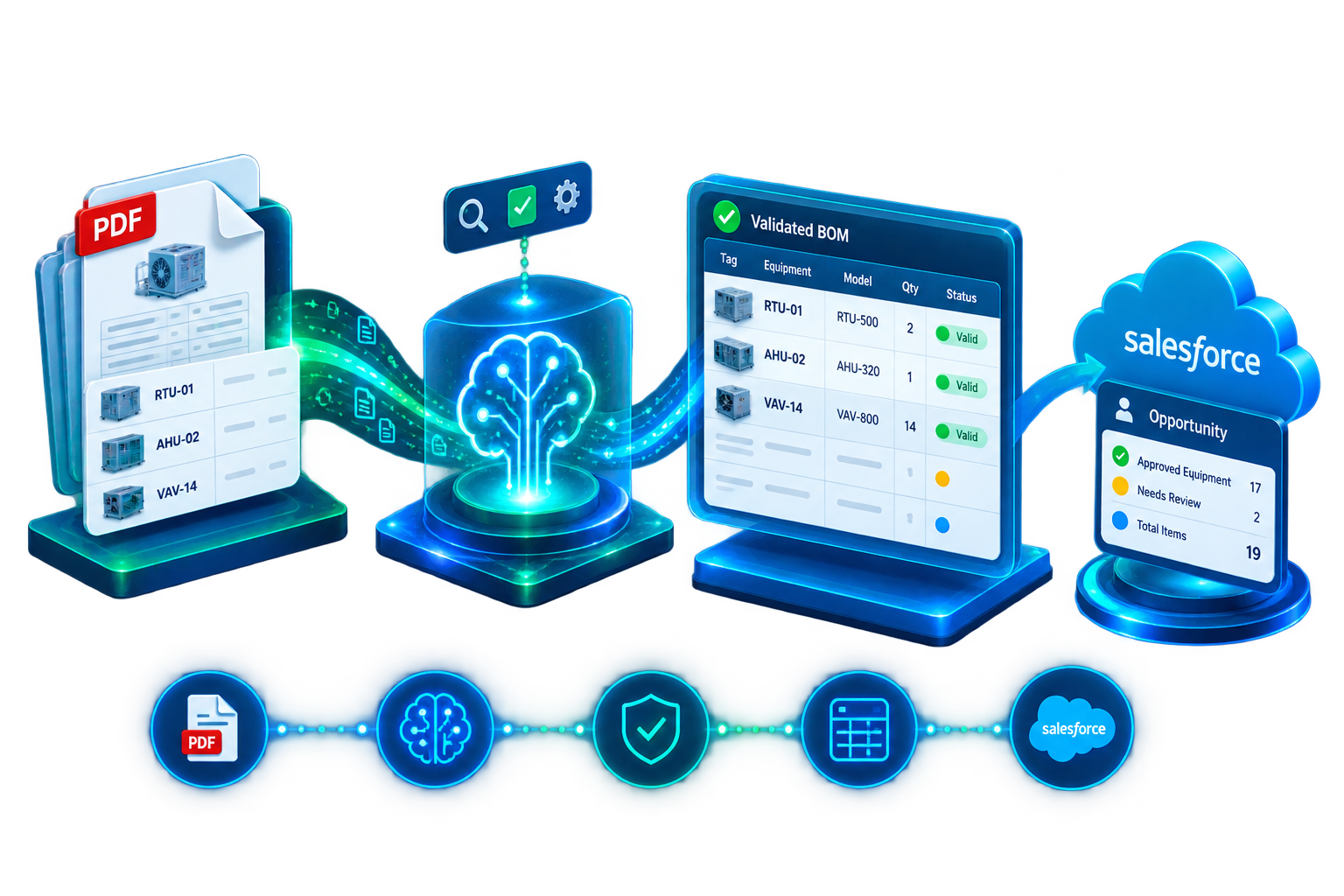
From equipment schedule PDF to a checked, colour-coded Excel BOM and a ready-to-work Salesforce Opportunity in under 60 seconds.

An Aquarient Data Intelligence Accelerator built for mechanical contractors, estimators, and Salesforce/CRM-using project teams.
  • No manual data entry.
  • No re-keying into Salesforce.
https://aquarient.com/wp-content/uploads/2026/08/ChatGPT-Image-Aug-31-2026-04_02_54-PM.png

What Is HVAC BOM Intelligence

HVAC BOM Intelligence is a Salesforce/CRM-connected accelerator that reads HVAC equipment schedule PDFs, extracts every piece of equipment using AI, checks each item against a built-in HVAC validation ruleset, and delivers a review-ready Bill of Materials as a five-sheet Excel workbook and, for approved items, a scored Salesforce Opportunity without any manual re-entry.
https://aquarient.com/wp-content/uploads/2020/08/floating_image_08.png

The Problem It Solves

📄

Manual PDF Re-Entry

Retype every equipment line from the schedule.

AI-Powered Extraction

Extract tags, models, capacity, voltage & quantity automatically.

Errors Found Too Late

Missing data and equipment issues surface during procurement.

Validate Before Approval

Flag missing fields, duplicates, invalid voltage & logic gaps.

Re-Key Into Salesforce

Manually enter approved equipment into the CRM.

Push Directly to Salesforce

Send approved equipment directly to the Opportunity.

🔍

Manual Revision Comparison

Compare old and new schedules line by line.

Instant Revision Diff

Identify added, removed & modified equipment instantly.

bt_bb_section_top_section_coverage_image
bt_bb_section_bottom_section_coverage_image

How It Works

From HVAC schedule PDF to validated BOM in four steps.

HVAC BOM Intelligence turns an equipment schedule into structured, validated data, then routes approved information into Excel or Salesforce.
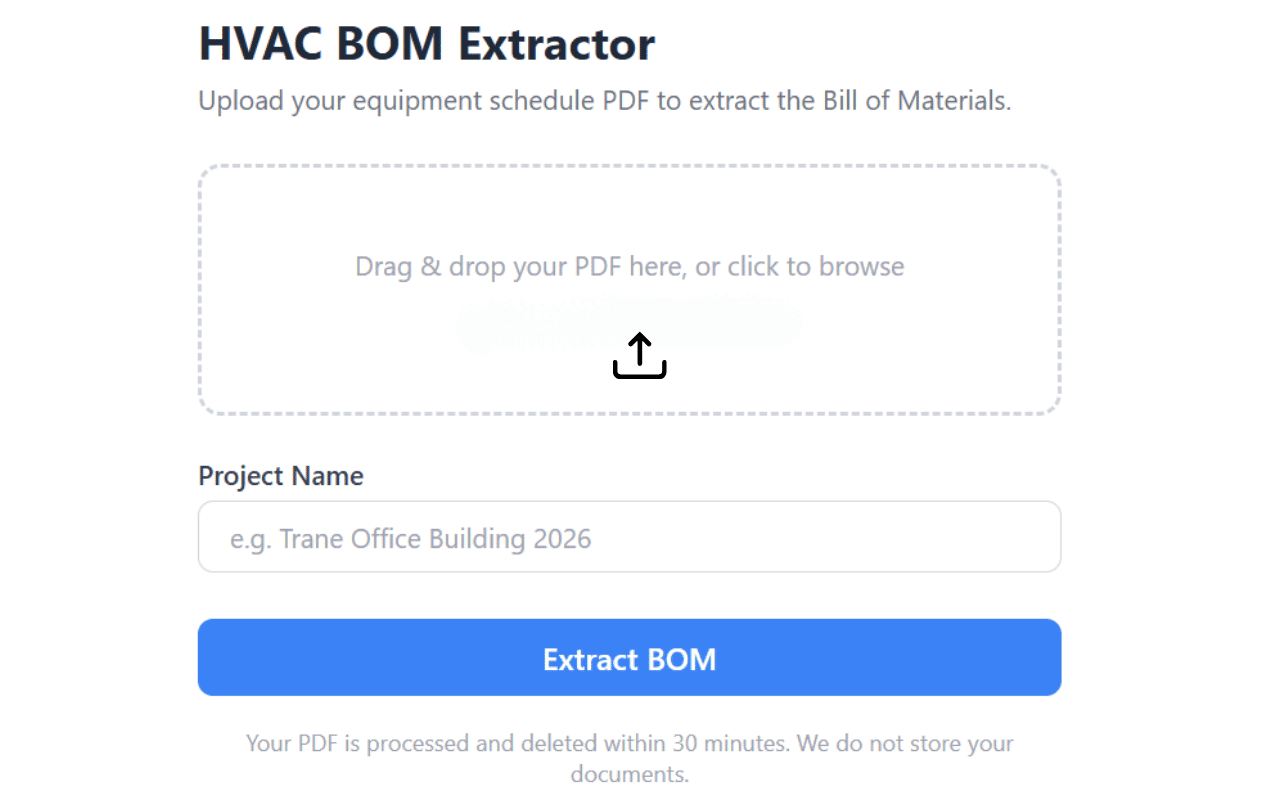
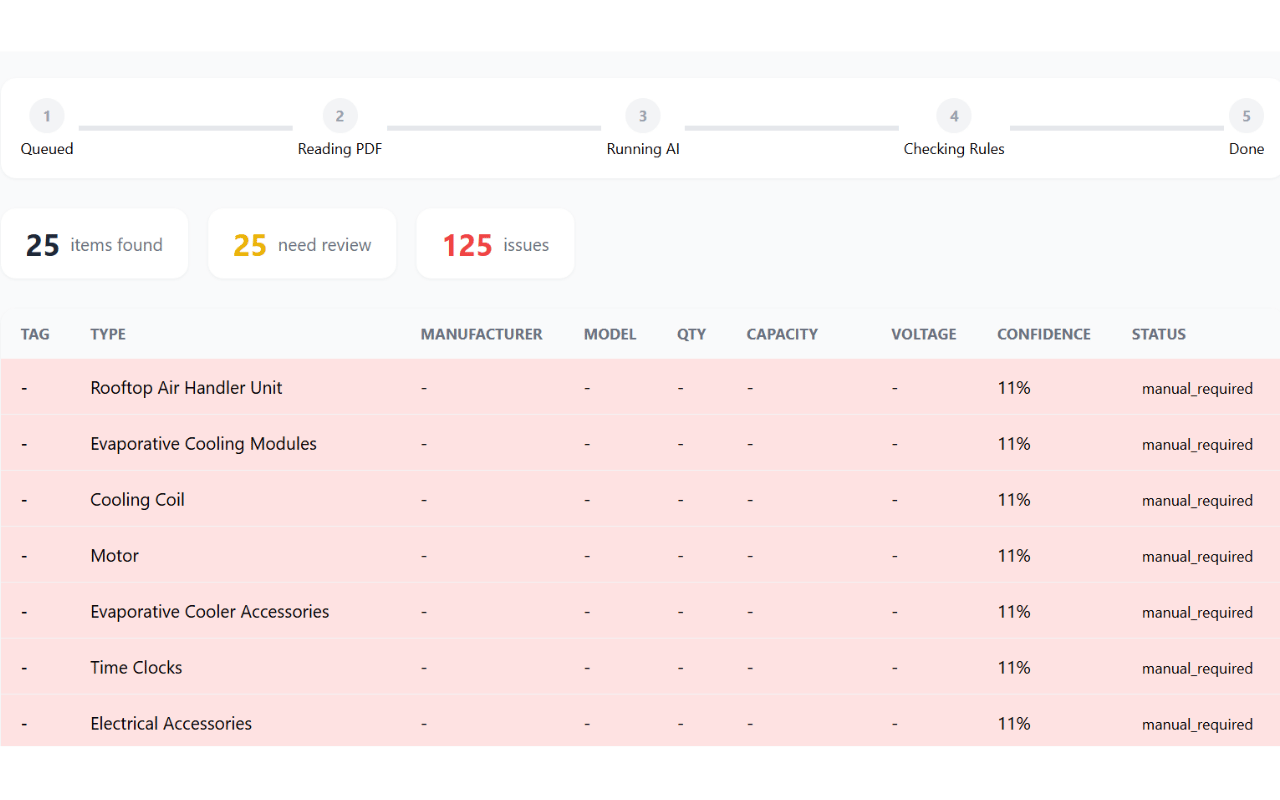
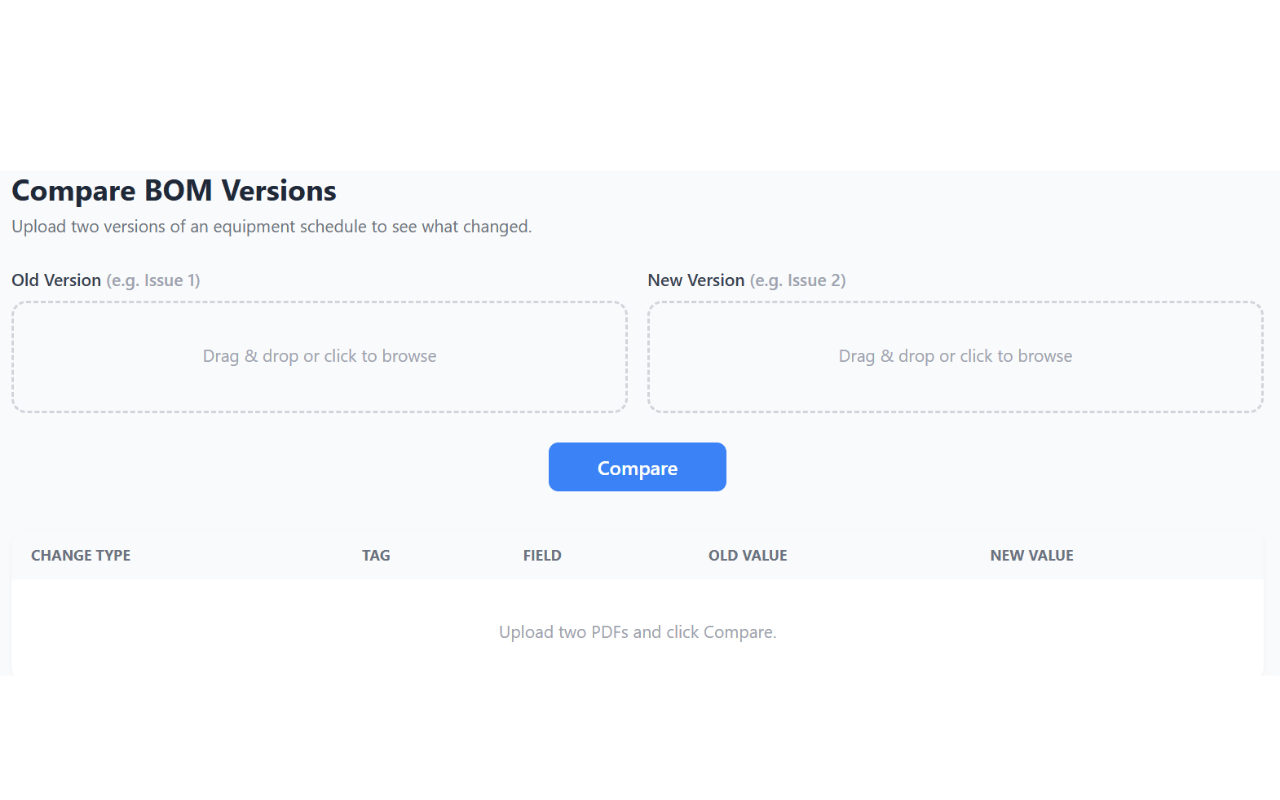
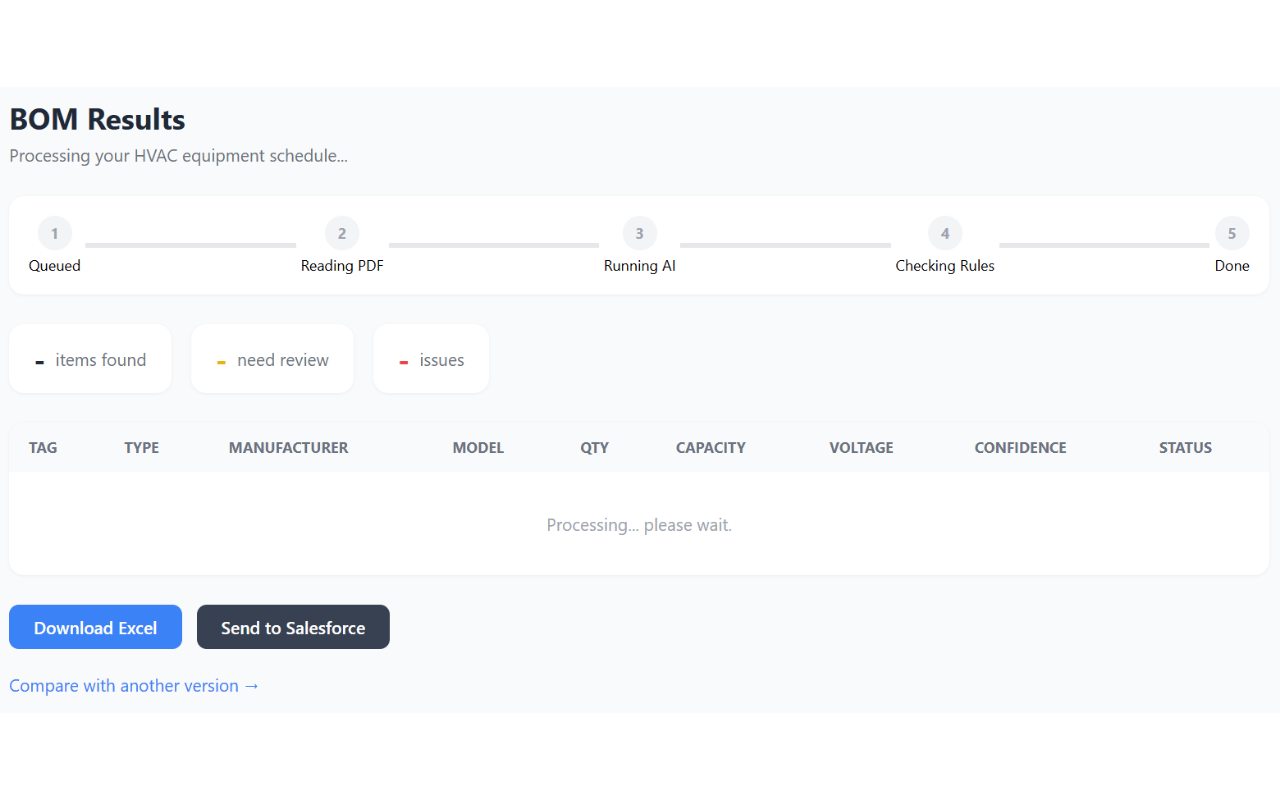
HVAC BOM Intelligence upload and AI extraction screenHVAC BOM Intelligence validation and review screenHVAC BOM Intelligence BOM comparison screenHVAC BOM Intelligence Excel and Salesforce output screen
Add your product screenshot Replace SCREENSHOT URL 01 in the HTML
01Upload & Extract
02Validate & Review
03Compare BOM
04Export / Salesforce
bt_bb_section_bottom_section_coverage_image

Capabilities & Business Impact

Everything between the PDF and your CRM.

A complete document-to-BOM workflow combining AI extraction, HVAC-specific validation, structured output, and Salesforce integration.

AI-Powered Equipment Extraction

Extract tags, manufacturers, model numbers, capacity, voltage, and quantities directly from equipment schedules.

Built-In HVAC Validation

Identify missing fields, duplicate tags, invalid voltage, and HVAC-specific equipment logic gaps.

Colour-Coded Excel BOM

Generate a structured five-sheet workbook with BOM data, issues, revision changes, coverage, and metadata.

Salesforce Integration

Push approved equipment directly into a Salesforce Opportunity while holding items that require review.

Revision Comparison

Compare schedule versions and identify added, removed, and modified equipment field by field.

Human Review Controls

Confidence scores and review tiers help teams focus human attention where it is actually needed.

Less manual work. Better data. Faster decisions.

HVAC BOM Intelligence removes repetitive data entry while keeping human review in the workflow where accuracy matters.

<60 sec PDF → BOM Move from schedule upload to a review-ready BOM.
0 Manual Re-Keying Approved equipment can flow directly into Salesforce.
13 Validation Rules Record-level and cross-item HVAC checks.
4 Review Tiers Quickly identify what needs human attention.
1-Click Revision Diff See added, removed, and modified equipment.

Built for teams that work with HVAC schedules.

Turn document-heavy estimating and project workflows into structured, validated data.

Mechanical
Contractors

📋

HVAC
Estimators

Pre-Construction
& Engineering

Manufacturers
& Distributors

Salesforce-Using
AEC / MEP Firms

From equipment schedules to bids, BOMs, procurement, and Salesforce opportunities — HVAC BOM Intelligence connects the workflow end to end.

Frequently Asked Questions

FAQ's
01
What file types does HVAC BOM Intelligence accept?

Any text-based (searchable) HVAC equipment schedule PDF, in any manufacturer format.

02
How is this different from HVAC takeoff software?

Takeoff tools stop at a spreadsheet for bidding. HVAC BOM Intelligence validates the extracted data against an HVAC-specific rules engine and pushes the approved equipment directly into Salesforce as a scored Opportunity, closing the loop between the drawing and the CRM, not just the drawing and a spreadsheet.

03
Does it require a Salesforce org?

No – the Excel export works standalone. The Salesforce push requires a connected org with two custom fields on the Opportunity object, which Aquarient configures as part of implementation.

04
What happens to equipment the AI isn't confident about?

It’s flagged as needs-review or manual-required and held out of the automatic Salesforce push, so only validated data reaches your CRM.

05
Can it compare revised drawings?

Yes. Upload the old and new versions of a schedule and get every added, removed, and modified equipment line, field by field.

06
Is this a packaged product or a custom build?

It’s an Aquarient accelerator – a proven, pre-built foundation (extraction, rules engine, Excel export, Salesforce integration) that we configure to your equipment types, validation rules, and Salesforce data model, so you get a working solution in weeks, not months.

See it read one of your own equipment schedules.

Request a live demo at
contact@aquarient.com
bt_bb_section_bottom_section_coverage_image