

AI Electrical Schematic Analysis Accelerator
SchematicIQ turns a scanned, hand-drawn, or computer-generated circuit diagram into a structured netlist and a standards-checked error report, in minutes instead of hours of manual tracing.
SchematicIQ is an AI accelerator that reads an uploaded schematic image, detects every component, traces the wiring, and outputs a SPICE-style netlist alongside a severity-ranked list of design errors, checked against IEC/IEEE conventions, explained separately for the engineer who needs to fix it and the executive who needs to know it's handled.
The reality today
Every circuit still gets checked the same way it did twenty years ago: an engineer tracing wires by eye, cross-referencing values by hand, hoping nothing slips through before the design moves downstream.
Manual tracing scales linearly with headcount. Legacy backlogs and growing product lines just mean a longer queue.
What one engineer catches, another misses. Review quality depends on who's on the desk that day, not a fixed standard.
An error caught after fabrication or on the production floor costs a re-spin, a recall, or a safety incident not an afternoon.
How it works
This is the actual sequence a diagram goes through — not a simplified summary of it. Every step is visible, and every result is traceable back to the original drawing.
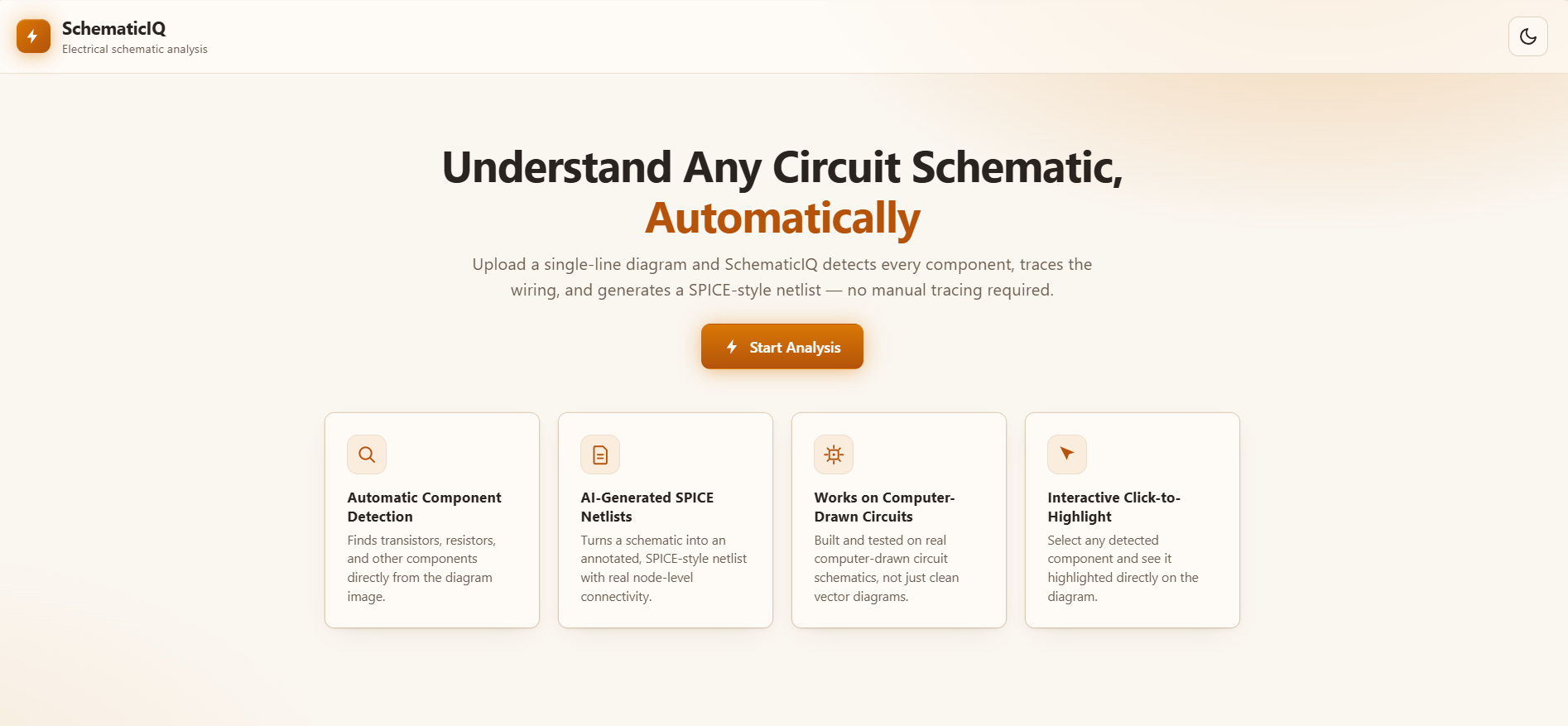
Upload a schematic as a PDF, PNG, JPG, or SVG — scanned, hand-drawn, or computer-generated. No clean source file or existing netlist required.
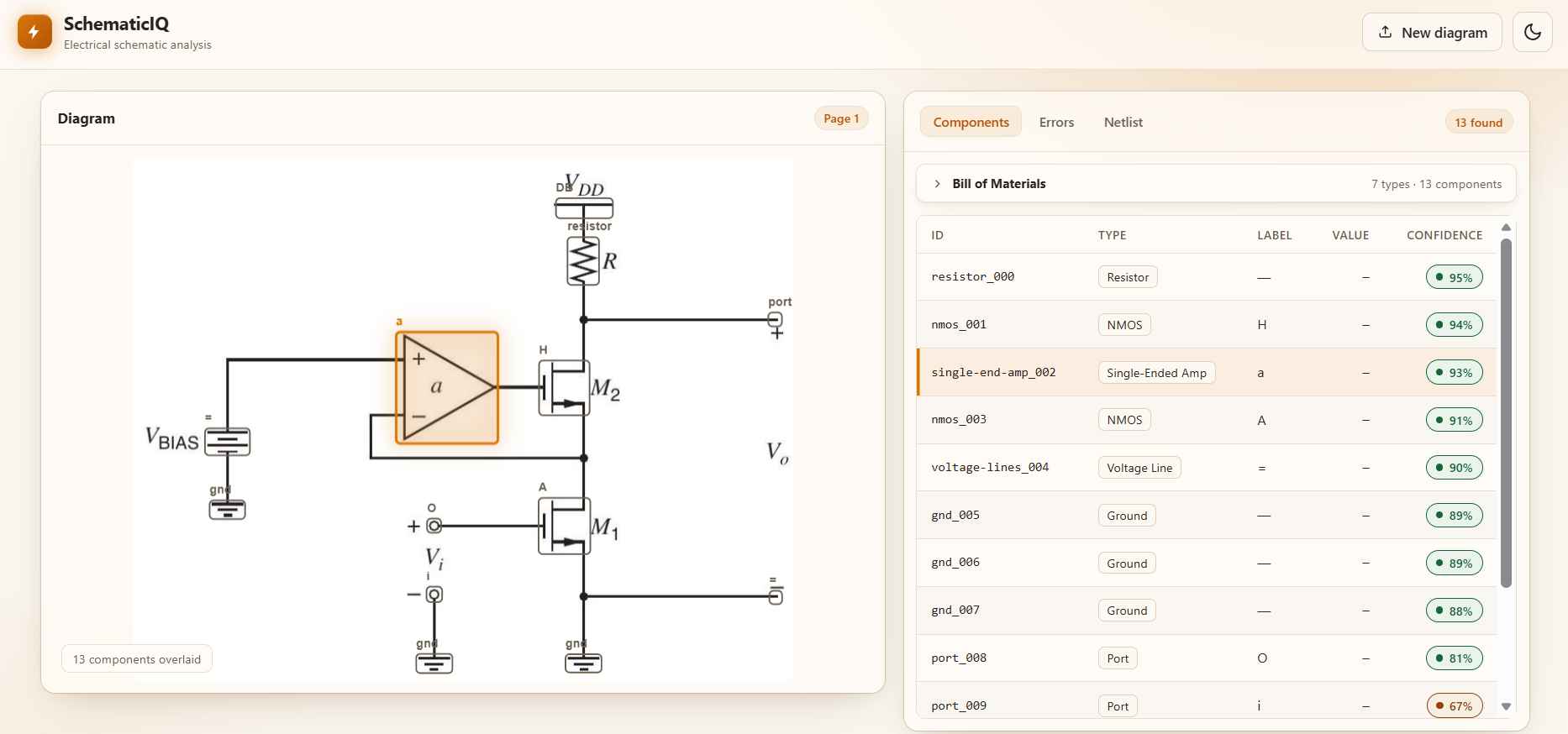
Every resistor, transistor, port, ground, and label is detected automatically, each with a confidence score so low-certainty reads are easy to spot and verify.
Detected components are overlaid directly on your original diagram — nothing is a black box. Select any item to see exactly what was found and where.
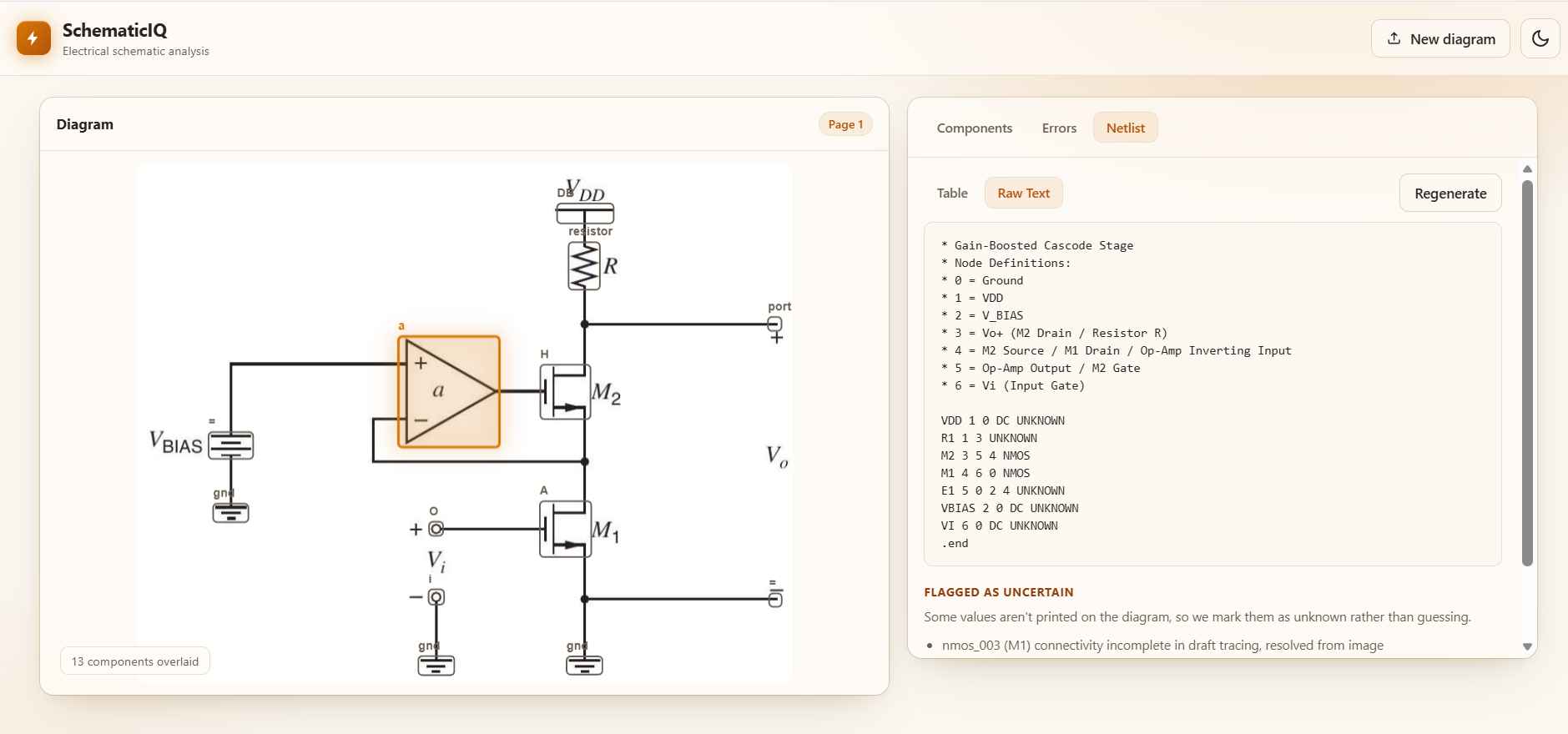
Traced connections are compiled into a structured, SPICE-style netlist automatically — ready to hand to simulation tools or an engineering record.
Connections and values are checked against IEC/IEEE conventions. Issues are ranked by severity, so the ones that matter most surface first — not buried in a flat list.
Every result is explained two ways: a technical breakdown for the engineer fixing it, and a plain-language summary for the person who just needs to know it's handled.
One finding, two audiences
Every issue SchematicIQ finds gets written twice — once for the engineer who has to fix it, once for whoever just needs to know the status. Same finding, same severity, no translation required between them.
Same underlying finding and severity — nothing changes between views except how it's written.
Engineer view includes the component ID, node reference, and the exact standard it's checked against.
Executive view reads in one plain-language paragraph — no translation meeting required.
Both views are generated automatically with the finding — nobody writes this by hand afterward.
Component: R1 (resistor_005) Node: 3 — M2/M3 gate junction Issue: Labeled value 100kΩ does not match the resistance implied by the traced connection pattern (expected range: 8–12kΩ) Standard reference: IEC 60617 component labeling convention Recommended action: Confirm R1's actual value against the BOM before fabrication
One high-priority issue was found: a resistor's labeled value doesn't match how it's wired into the circuit. If the label is wrong, it could affect how this circuit performs once built. Recommended: have an engineer confirm the correct value before this design moves to fabrication.
Product walkthrough
The same three screens every diagram passes through upload, detection, and output using the actual product interface, not a mockup.
Who it's built for
SchematicIQ wasn't built for one kind of user pretending to fit everyone. Here's who it's actually solving this for, and why.
Catch a schematic error before it becomes a board re-spin. Works directly from a scanned or hand-drawn diagram, no clean netlist or BOM file required to start.
Thousands of paper single-line diagrams, no digital record, and a compliance requirement to keep them current. Digitize what you already have instead of redrawing it.
Catch a defect before it reaches the production floor, not after. Consistent, standards-checked review, not whoever happens to be available that day.
Capabilities & trust
One pass covers detection, netlist generation, and standards-checked error review. Every result stays reviewable — your schematics are never a black box, technically or in how they're handled.
What it does
Every resistor, transistor, port, ground, and label is detected directly from the image, each with a confidence score attached.
Traced connections are compiled into a structured, SPICE-style netlist automatically — no manual re-entry required.
Wiring and values are checked against IEC/IEEE conventions — reasoning through the connections, not just matching patterns.
Issues are weighted by how much they matter, so the ones that could actually cause a failure surface first.
Scanned, hand-drawn, and computer-generated diagrams all work — PDF, PNG, JPG, and SVG in, no clean source file needed.
Every detection and finding stays reviewable and correctable at each stage — output you can check, not a black box you have to trust blindly.
Your data
Built and delivered by a team certified under the Anthropic Partner Network.
Uploaded schematics are handled under confidentiality — ask us about the data-handling terms for your specific engagement.
SchematicIQ output should be reviewed by a qualified engineer before use in production. Automated detection supports — and does not replace — formal design and compliance sign-off.
Frequently asked
Yes. Scanned paper diagrams, hand-drawn circuits, and computer-generated schematics all work — there's no requirement for a clean digital source file or an existing netlist to start from.
PDF, PNG, JPG, and SVG are supported today. Direct CAD file support (Eagle, DXF, and similar formats) is on the roadmap.
Yes. Once components and connections are detected, SchematicIQ compiles them into a structured, SPICE-style netlist automatically — no manual re-entry required.
Wiring and component values are checked against IEC/IEEE circuit conventions, with issues ranked by severity so the most critical ones surface first.
SchematicIQ is currently delivered as a managed engagement — our team runs the analysis with you rather than a self-serve upload portal. Self-serve access is on the roadmap.
Uploaded schematics are handled under confidentiality by the team running your engagement. Ask us for the details of our data handling and retention practices.
Ready when you are
Send over a scanned, hand-drawn, or computer-generated diagram, and we'll walk you through the extraction, the netlist, and the error report it produces.
SchematicIQ output should be reviewed by a qualified engineer before use in production. Automated detection supports the process; it does not replace formal design and compliance sign-off.